Professional Debt Plans That Practically Write Themselves
Coach more. Crunch less.
Debt Manager Professional helps you turn client balances, APRs, and payments into a clear, branded payoff plan you can review with confidence.
One-time purchase. No subscription. Requires Microsoft Windows. | View Quick Start Guide
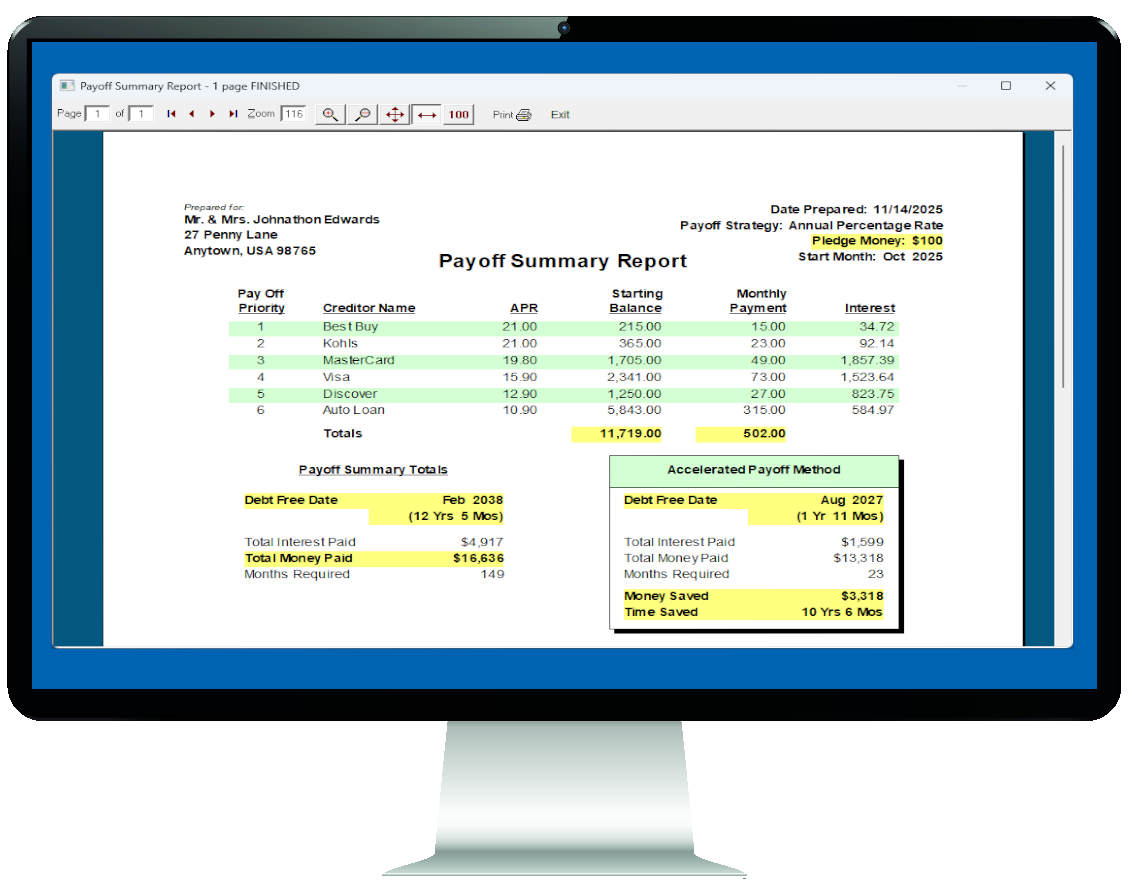
A clear workflow from client intake to payoff plan
Debt Manager Professional is built around a practical three-part workflow: brand the presentation, enter the debt data, and build a coaching-ready plan.
Brand It
Customize report headers, footer lines, and visual details so the payoff plan looks like part of your professional process.
Input It
Capture client balances, APRs, monthly payments, strategy, start month, and pledge money in a consistent workflow that stays clean and reviewable.
Build It
Generate a payoff summary and a month-by-month schedule you can walk through with clients and use to guide real next steps.
Brand It
Presenting a strong plan is not just about the math. It is also about trust. Debt Manager Professional helps you create a report that looks prepared, organized, and ready for client review.
- Customize footer lines and report presentation details.
- Keep printed output aligned with your agency or coaching brand.
- Give clients something polished they can follow outside the meeting.
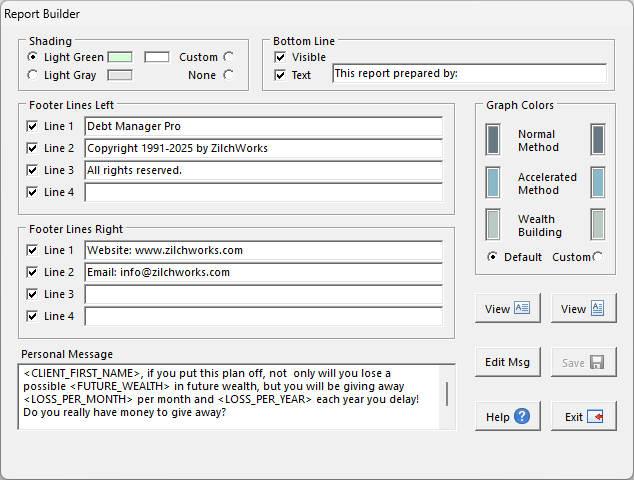
Brand reports with your organization details so the finished plan feels like part of your own counseling workflow.
Input It
Enter your client's debts quickly and accurately using on-screen fields. Everything stays clean, organized, and consistent, giving you the full picture without guesswork or manual spreadsheet cleanup.
- Set the start month, payoff strategy, repayment timing, and pledge money.
- Enter creditor name, APR, current balance, and monthly payment in minutes.
- Keep every client plan structured the same way for easier review and follow-through.
Evaluation copy note: you can enter and analyze client data before purchasing the full version.


Set the plan first, then enter the debt details. These two visuals work together and should stay together.
Build It
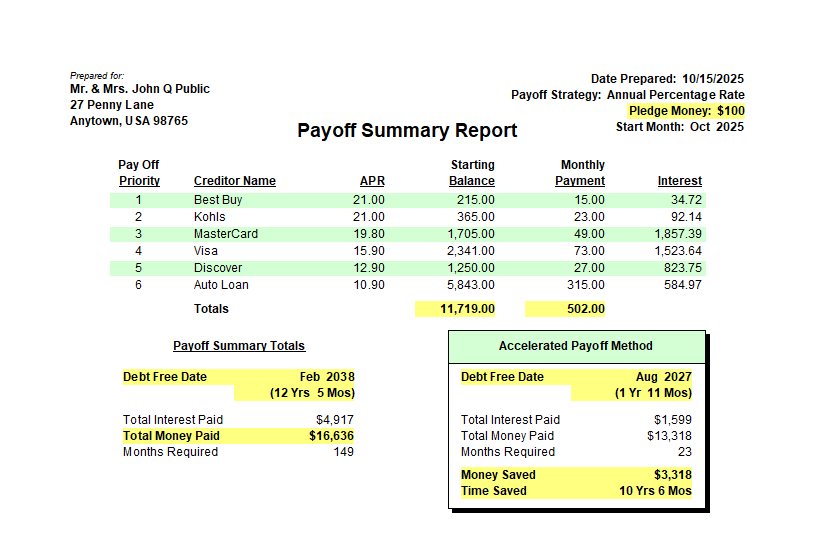
Once the data is in, Debt Manager Professional turns it into a plan you can coach from. You get a clear payoff summary that helps clients see where they are, what changes with acceleration, and how much time and money they can save.
- Show the full payoff picture in a format clients can understand.
- Compare regular payoff results against the accelerated plan.
- Turn raw debt data into a practical coaching conversation.
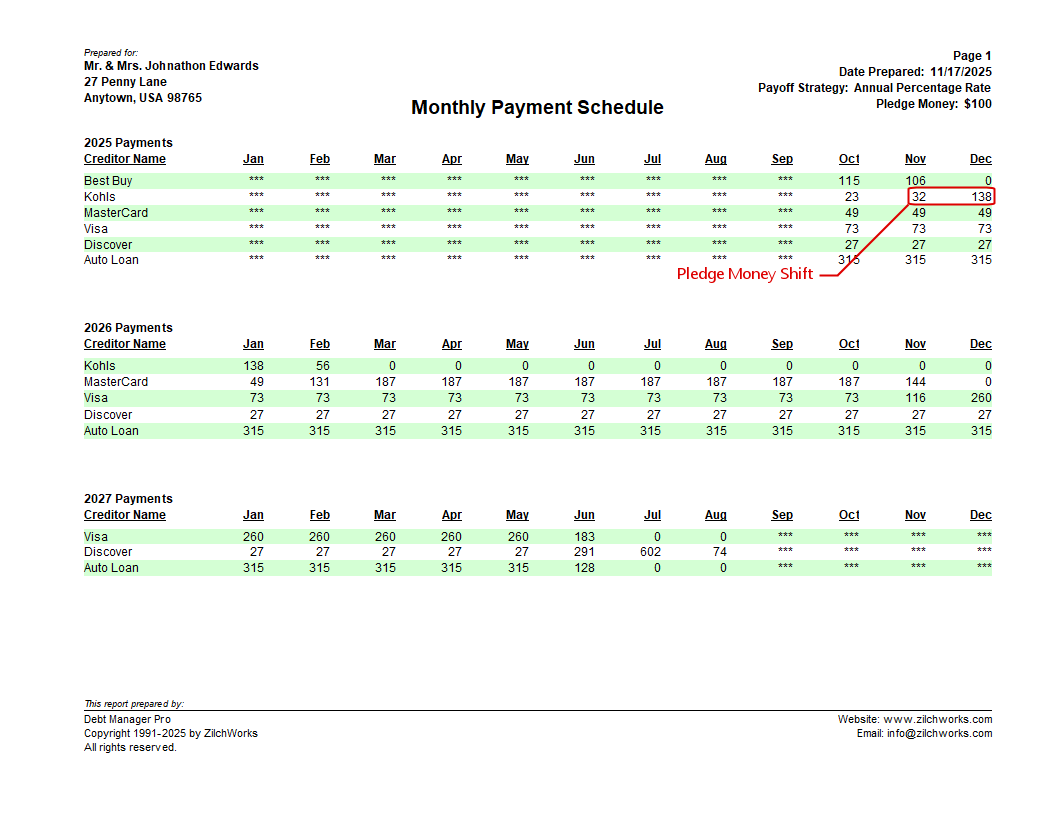
See the plan month by month
The Monthly Payment Schedule shows how the plan flows over time, including the point where pledge money shifts forward as debts are paid off.
Frequently Asked Questions
The most common first-time questions, answered in plain English.
Debt Manager Professional is debt payoff planning software built for financial counselors, money coaches, agencies, and educators who work with real client debt cases.
Instead of wrestling with spreadsheets, you enter the client's debts once, choose a strategy, and generate a clear payoff plan you can explain and use.
Pledge Money is the extra monthly amount a client can add to the plan. It acts like the accelerator.
Debt Manager Professional applies that extra money to the current priority debt so the payoff timeline shortens and interest costs drop faster.
That is fine. The software still creates a working payoff plan.
As each debt gets paid off, its monthly payment rolls forward into the next debt. In other words, the plan builds its own momentum over time even if the client starts with no extra pledge amount.
Yes. Debt Manager Professional includes branding controls so you can tailor printed reports to your organization or coaching practice.
That helps the finished plan look polished, consistent, and ready to hand to a client.
Yes, if you are the licensed user and you are the only person using both installations.
If multiple counselors need to use the software at the same time, additional licensing is the right path.
Yes. Start with the Quick Start Guide and use the evaluation copy to walk through a real client example.
That gives you a practical feel for the workflow before you purchase.
Professional Endorsement

"As a bankruptcy attorney with more than 27 years in practice, I give Mike Riley and his ZilchWorks software my unqualified 5-star endorsement. Mike is highly ethical, extremely intelligent, and deeply concerned for the welfare of others. His program is solid, affordable, and does an excellent job creating a smart plan for paying off credit card debt."
Dave Falvey, Esq.
Bankruptcy Attorney
Groton, Connecticut
Customer Satisfaction Guarantee
Try it risk-free for 30 days
Use it with real client cases and put it through your normal workflow.
See the difference in your workflow
If it does not help you work more efficiently, stay more organized, and guide clients more clearly, you should know that before you commit.
Full money-back guarantee
If it is not the right fit, let us know within 30 days and we will refund 100% of your purchase.
How much is your time worth?
You already know the cost of a workflow that slows you down. Choosing better tools today means fewer "I should have done this earlier" moments tomorrow.
Your next professional payoff plan is one click away.
One-time purchase. No subscription. Requires Microsoft Windows.